Upload any image and let our free image to prompt generator reverse-engineer it into detailed, ready-to-use AI prompts — instantly compatible with Midjourney, DALL·E, Stable Diffusion, and Flux.
The kind of prompt PromptReveal writes back from an image.
 Flux.1
Cinematic IMAX film frame of a lone astronaut standing on alien desert planet, huge ringed gas giant in the sky, dust storms, dramatic lens flare, anamorphic lens 35mm photography shot
Support for PNG, JPG, and WEBP images up to 10MB. Simply drag and drop or click to browse.
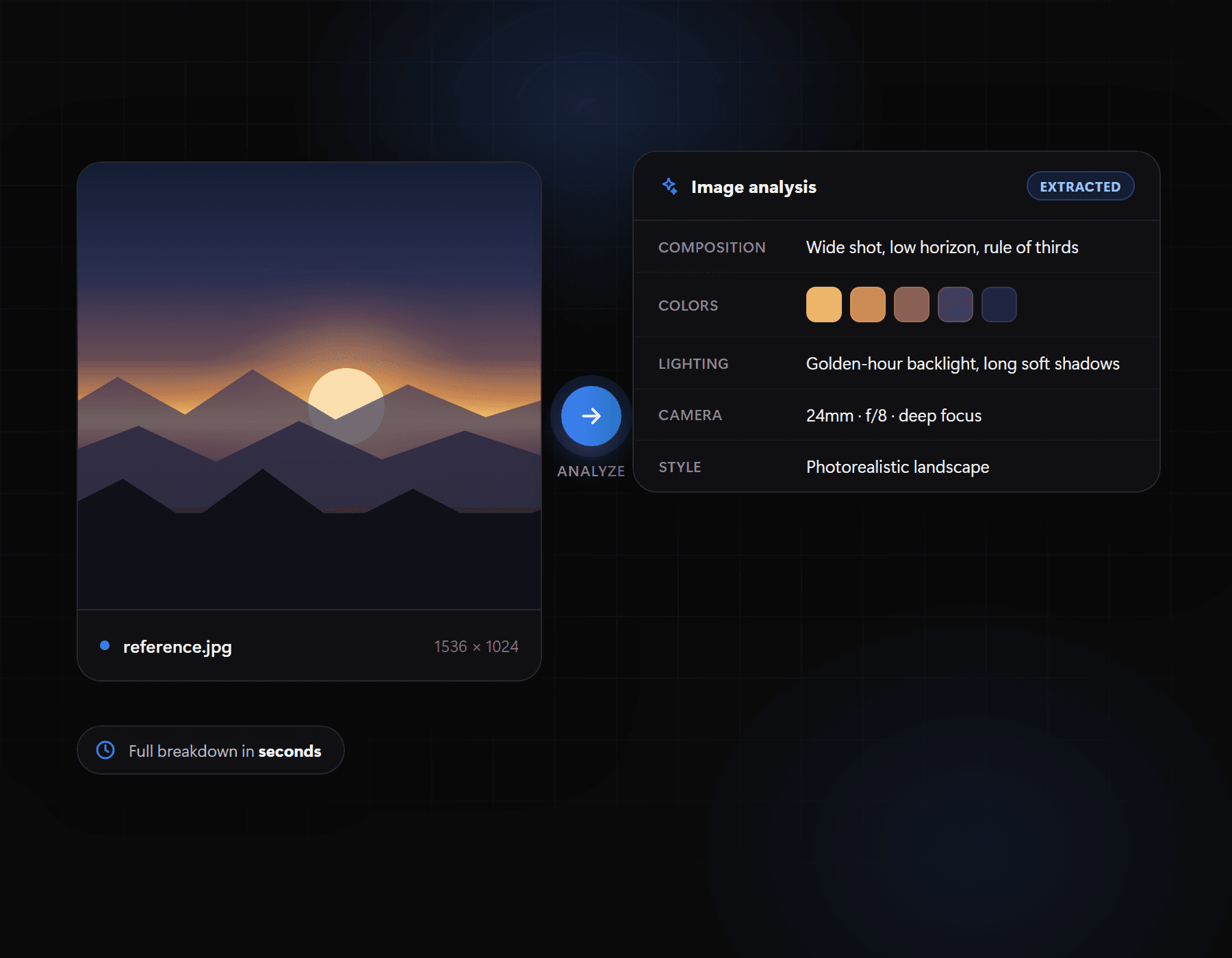
Advanced vision AI analyzes composition, lighting, style, mood, colors, and every visual detail.
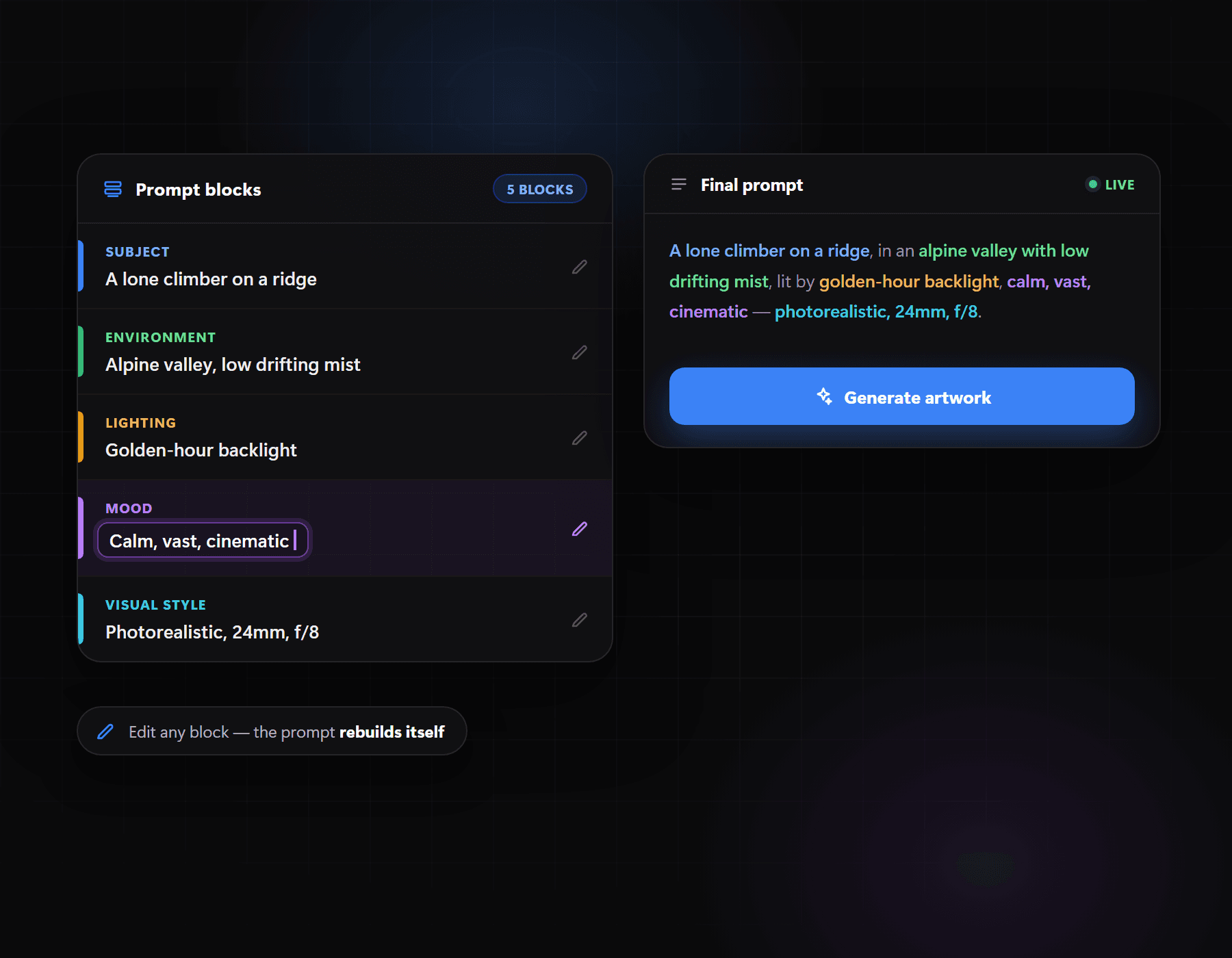
Get Detailed Technical, Artistic Creative, Concise, and Midjourney-optimized prompts instantly.
Works Seamlessly With
Unlock creative possibilities across multiple domains.
Recreate high-end product shots, studio lighting setups, and commercial compositions.
Analyze traditional and digital art to discover the exact prompts needed to match a specific style.
Extract the core visual elements from UI/UX, architecture, and interior design references.
Generate consistent assets for marketing, social media, and storytelling by reverse-engineering references.
Ever come across a stunning AI-generated image and thought, 'What prompt made this?' That's exactly what our reverse image prompt generator is built for. If you've been searching for how to reverse engineer an AI-generated image prompt, PromptReval gives you the answer in seconds—turning any picture into a ready-to-use, descriptive prompt.
Unlike basic tools, our reverse image to prompt generator doesn't just recognize the subject of your photo. Powered by advanced Vision AI, it breaks the image down into granular detail: lighting setup (cinematic, volumetric, studio), camera optics (35mm lens, shallow depth of field), artistic medium (digital illustration, oil painting, 3D render), and overall mood and atmosphere.
All of this visual data is then translated into rich, structured text prompts—automatically generated in four distinct variations, so you always have the right format ready. Whether you're prompting Midjourney v6, DALL-E 3, Flux.1, or Stable Diffusion, our reverse image prompt generator free tool makes sure you get results without any guesswork.
Yep. You get 3 free generations, no account, no credit card needed. If you end up using it a lot, you can sign in and grab a plan for unlimited generations.
We spit out four different prompt styles each time — Detailed Technical, Artistic Creative, Concise, and one optimized specifically for Midjourney (with aspect ratio and stylize tags built in). So whatever you're using — Midjourney, DALL-E 3, Flux.1, Stable Diffusion — you've got a prompt ready to go.
JPG, PNG, or WEBP, up to 10MB. Doesn't matter if it's a photo, digital art, anime, a 3D render, or a UI design screenshot — it'll analyze it.
No. We process the image just long enough to generate your prompt, then it's gone. We don't save it, and we don't use it to train any models.
Our AI looks at the image the way a photographer or art director would — subject, lighting, camera angle, color palette, the medium it's in — and turns all of that into a written prompt you can just paste into your generator of choice.
Kind of, but it goes further. An image describer will tell you what's in the picture. We do that too, but then we turn it into an actual usable prompt, so you're not stuck translating a description into prompt-speak yourself.
No catch — your first 3 are free, no sign-up. After that, if you want to keep going, you'll need a paid plan. That's really the only “catch.”
Yes, one of the four prompt formats we generate is built specifically around how Stable Diffusion likes its prompts structured.
Definitely — a lot of people use it exactly this way. Drop in a Midjourney or DALL-E image you liked, and we'll reverse-engineer something close to the original prompt.
Not at all. That's the whole point. Just upload the image — you don't need to know lens terminology or lighting jargon or any of that.
Each of the four is written for a different job: